Where to today?
Family Places shows you family-friendly places across Switzerland – playgrounds, farms, zoos, museums, lakes and more. Quick to find, easy to save.
Test the Android AppCurrently in beta testing (closed test)
- App StoreComing soon
- Google PlayAndroid Beta – Test now
The app is free for families. On Android a closed beta test is running – it is not publicly available on Google Play yet.
- 96 places
- 16 cantons
- 8 categories
- Free for families
Test the Android beta
Family Places is not publicly available on Google Play yet. In a closed test you can already try the app and send us feedback. Use the same Google account for all three steps – the one signed in to Google Play on your Android device.
-
Join the Google Group
Join the “Family Places Android Testers” group directly – no request and no approval needed.
Go to the Google Group -
Become a tester
After you have joined the group: open the test page on Google Play and tap “Become a tester”.
Join as a tester -
Install the app
Open Google Play on your Android device and install Family Places. The button works once you have become a tester in step 2. Stay opted in as a tester for at least 14 days – this helps us release the app to everyone.
Install App
Please send feedback and bug reports to support@familyplaces.ch. The iPhone app follows later (App Store: coming soon).
Everything you need for your next outing
From the first idea to the outing – without detours.
Browse by category
Playgrounds, farms, zoos, museums, indoor playgrounds, parks, lakes and family cafés – all in one place.
Search near you
With your permission, the app sorts places by distance. Your location is only used on your device.
Save your favorites
As a guest, your favorites stay on your device. With a Google account they are also backed up.
Details and map
Address, website and a map right on the place – and one tap opens the place in Google Maps.
German and English
The app is available in German and English.
You stay in control
You can delete your account at any time, right in the app.
A look inside the app
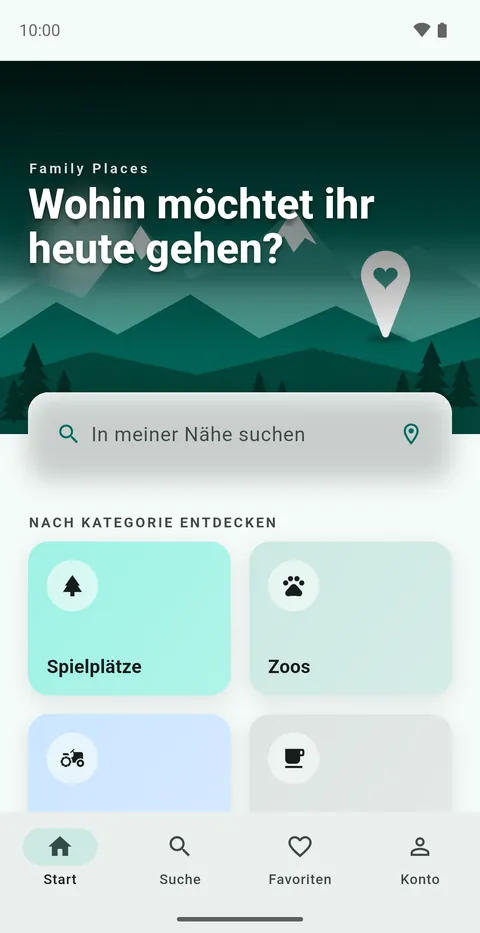
This is what Family Places looks like (the app is shown in German).
Home 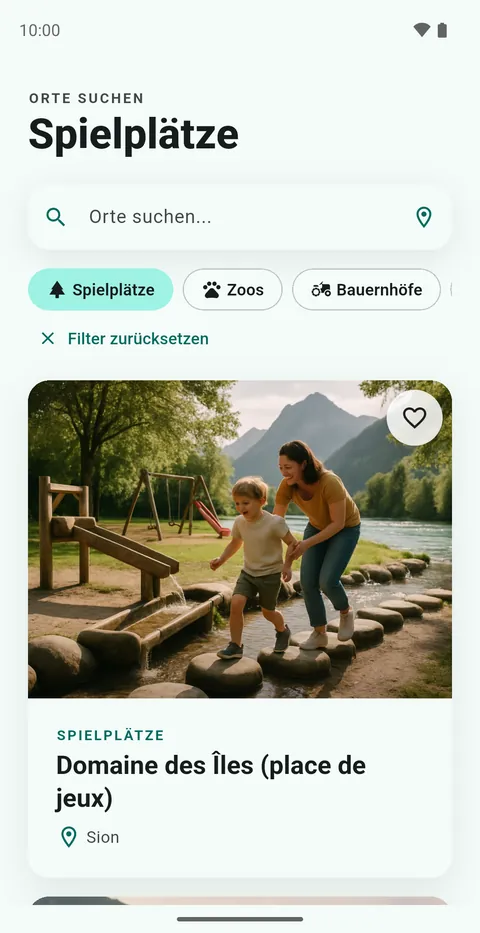
Search 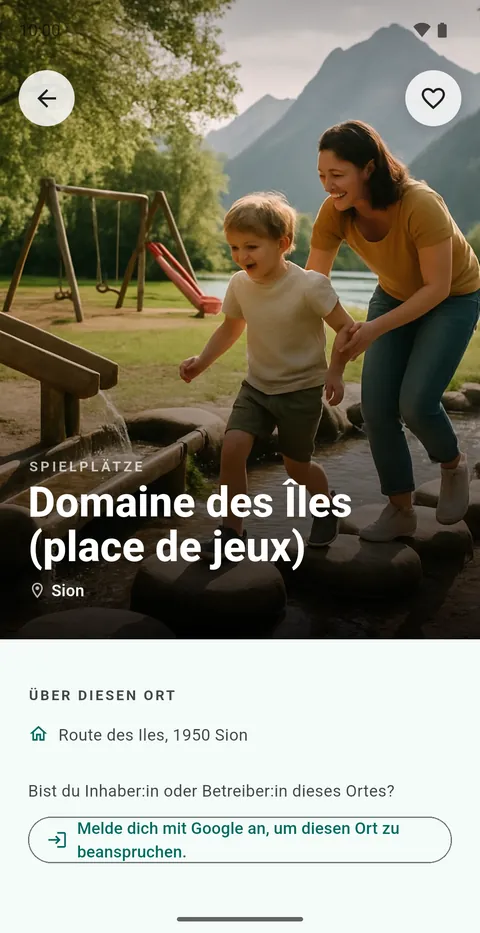
Place details 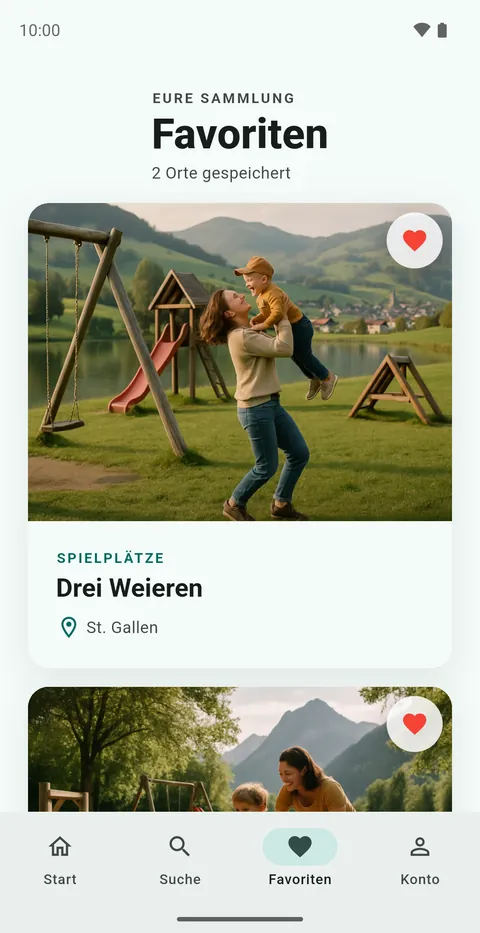
Favorites
Note: the place images in these screenshots are AI-generated pictures – not photographs of the real places.
Eight categories
- Playgrounds
- Farms
- Zoos
- Museums
- Indoor playgrounds
- Parks
- Lakes
- Family cafés
For businesses and providers
Do you run a place for families? Here is how you can take part in the app – this is available today:
- Suggest a place. Missing from the app? With a Google account you can suggest a new place. Every suggestion is reviewed before it appears.
- Claim a listing. Owners and operators can claim an existing place. We review each request manually.
- Maintain your listing. Verified owners add a description, opening hours, prices, contact details, website, address and photos to their listing.
Questions about your listing?
Write to us – we are happy to help. Paid partner subscriptions are not available yet.
Email supportFrequently asked questions
Does Family Places cost anything?
The app is free for families.
Do I need an account?
No, you can use the app as a guest. You only need a Google account to back up favorites and to suggest or claim places.
What happens to my location?
If you use “search near me”, the app asks for your location to sort places by distance. It is only used on your device and is not stored or shared. More in the privacy policy.
How do I delete my account?
In the app, open “Account” and tap “Delete account”. All steps are on the delete account page.
Are the images real photos of the places?
No. The place images in the app are AI-generated pictures, not photographs of the real places.
Where do I go if something is wrong?
The support page lists all the ways to reach us.